
This article is part of a 20-minute walkthrough which uses the scenario of hiring and onboarding H2A workers to show you how each of the features may be used by your organization.
What are documents?
"Documents" are records that describe physical files such as photos or PDF files that you may have captured with your scanner. Each Document record can be associated with a person, tagged with keywords and given a name and description. Document Portal lets you search for documents based on their name, description, or associated tags. You can also find documents that are expiring or associated with a particular person.
The task:
Let's find all the documents that have been tagged with "H2A".
Click the "Documents" option near the top of the screen, then click into the "Select Tags" box and choose H2A from the drop-down list. Click "Apply Filter" to perform the search.
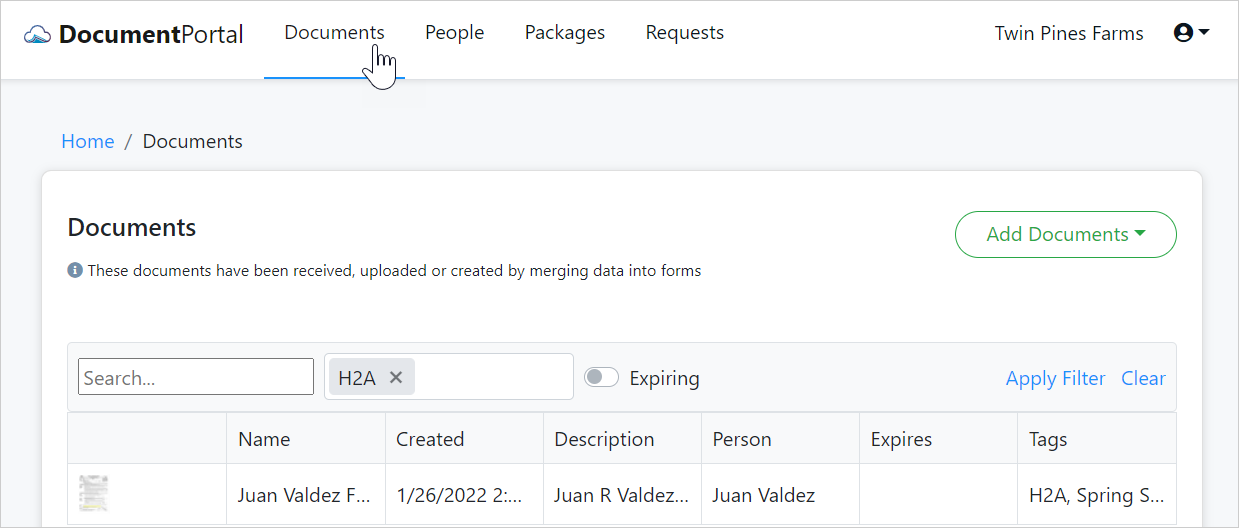
Feel free to try out the other search/filter features such as the "expiring" option to locate documents that have an expiration date.
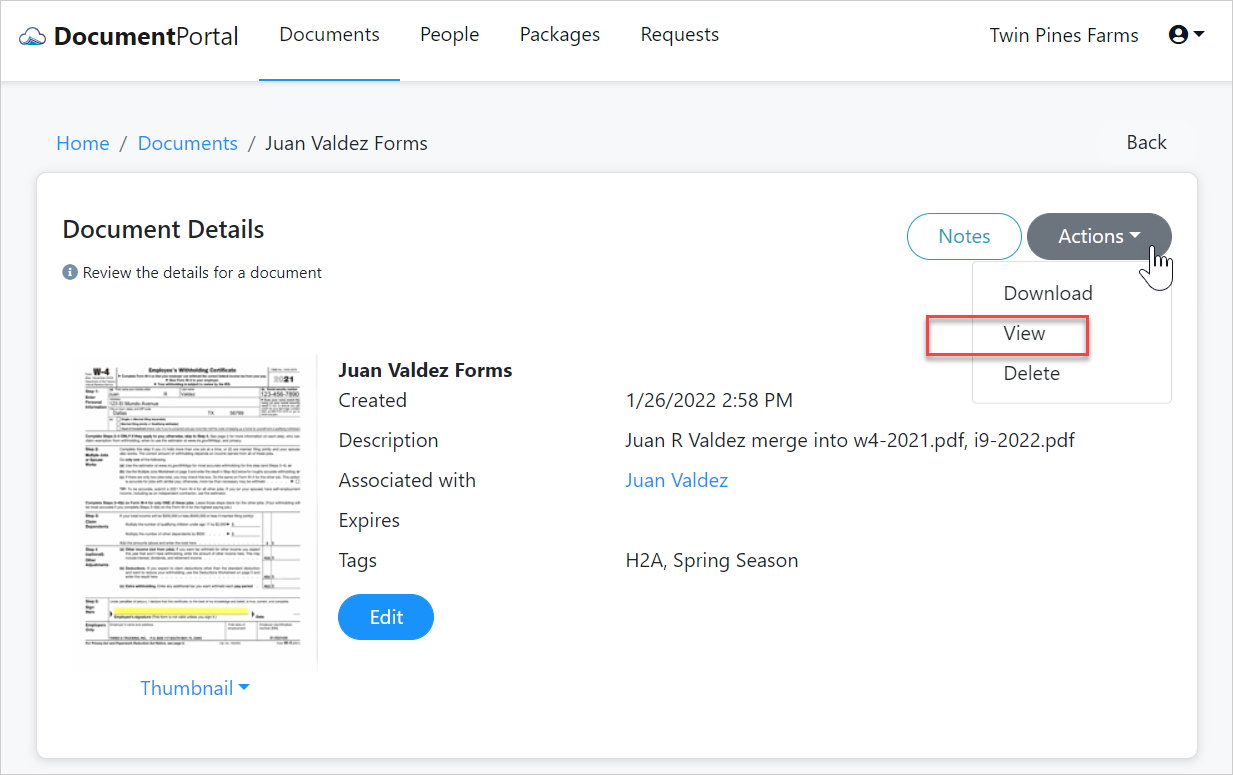
Once you've found a desired document, click on its row to review its details, change the description or view the associated file.
We've finished the walkthrough
We've completed the walkthrough, and while we've covered most of the big points, there's more! Go ahead and start using the program but when you're ready to learn about custom data fields, custom forms and other capabilities, be sure to check out the Frequently Asked Questions and our System Documentation.
| Back to the Welcome Page |  |
Comments
0 comments
Please sign in to leave a comment.