
This article is part of a 20-minute walkthrough which uses the scenario of hiring and onboarding H2A workers to show you how each of the features may be used by your organization.
What is Merging Data?
The PDF forms that you upload to Document Portal may include named fields that are mapped to your Account data as well as the data for each of your People. When you Merge Data, Document Portal will create new documents by updating mapped fields in selected forms with the data for selected people.
The task
When preparing for orientation day, you'll save lots of time if your forms can be filled out by the computer rather than having to do so manually.
Let's see how we can merge information for Juan Valdez into the I-9 and W-4 forms that we previously retrieved from the Forms Gallery. First, however, let's add some data for Juan that will be used when we perform the merge.
Click the "People" option near the top of the screen, then click on the record for Juan Valdez. Click the "Edit" button to display the Manage Data Screen, fill it out and click the Save button as show below.
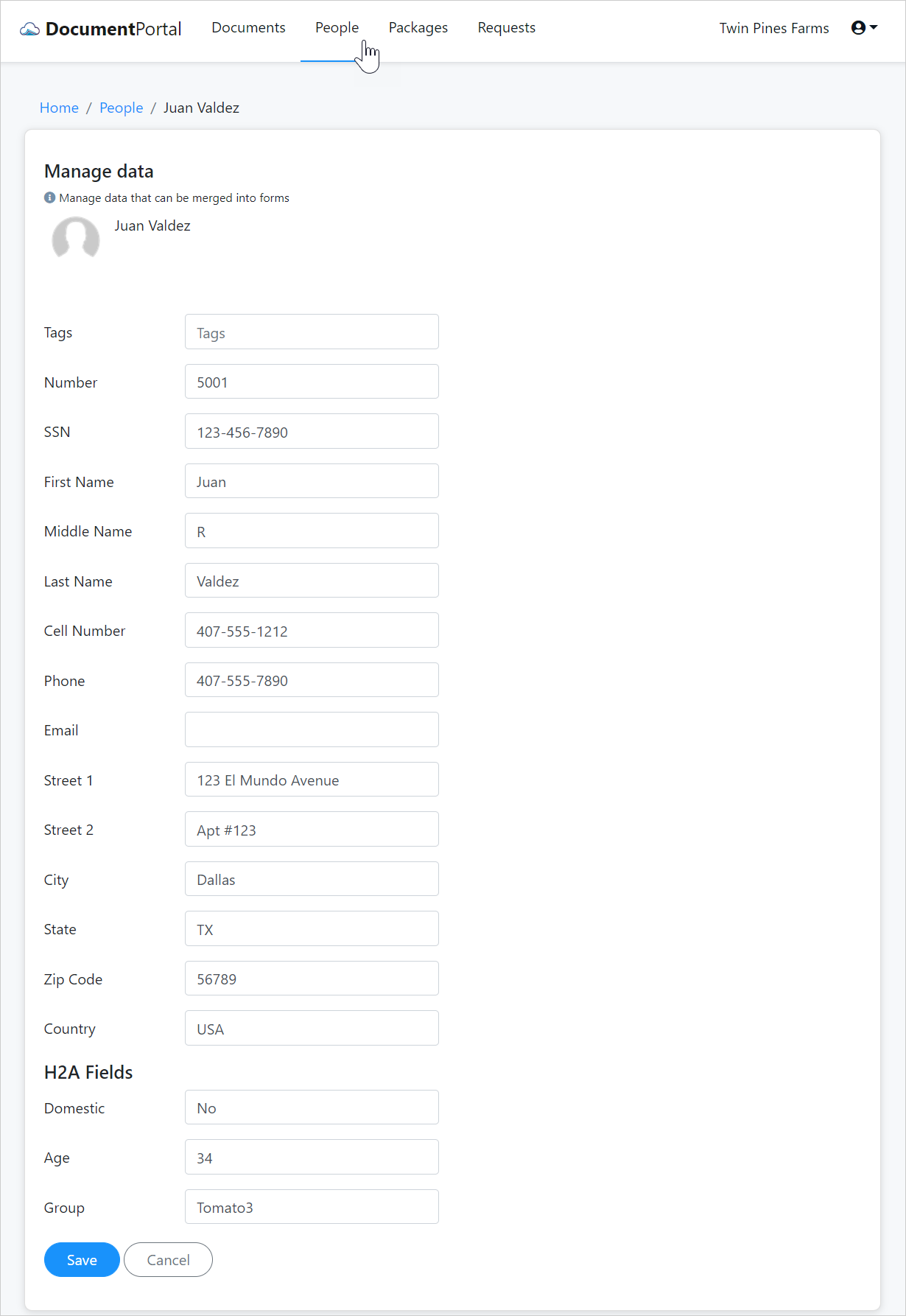
Your screen may not include the H2A Fields shown above. In another help topic, you'll discover how to customize the data entry fields.
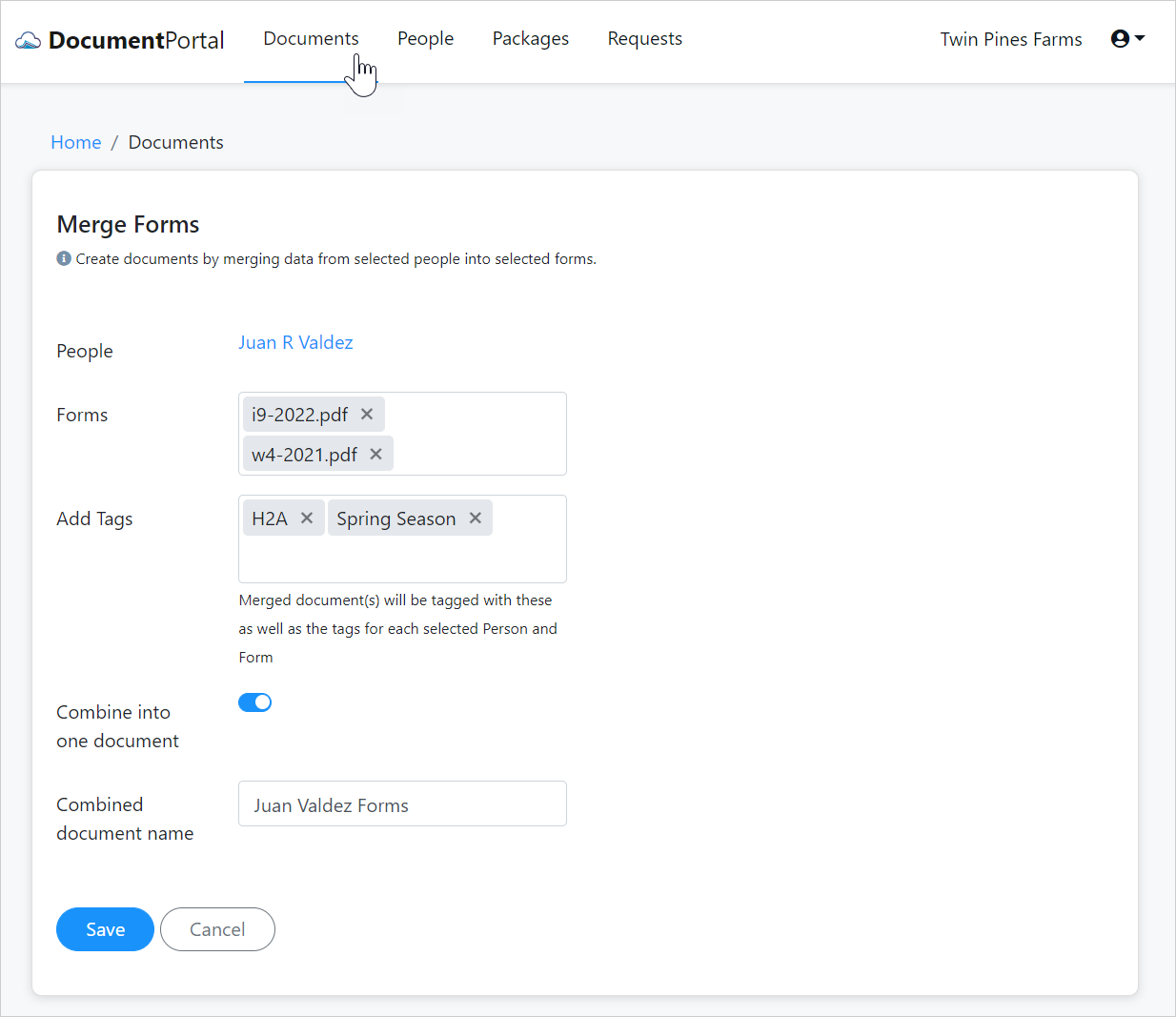
Let's merge Juan's information into the forms. Click the "Documents" option near the top of the screen, then click the "Add Documents" button and select "From forms" from the drop-down menu. Fill out the Merge Forms screen as shown below, then click the Save button.
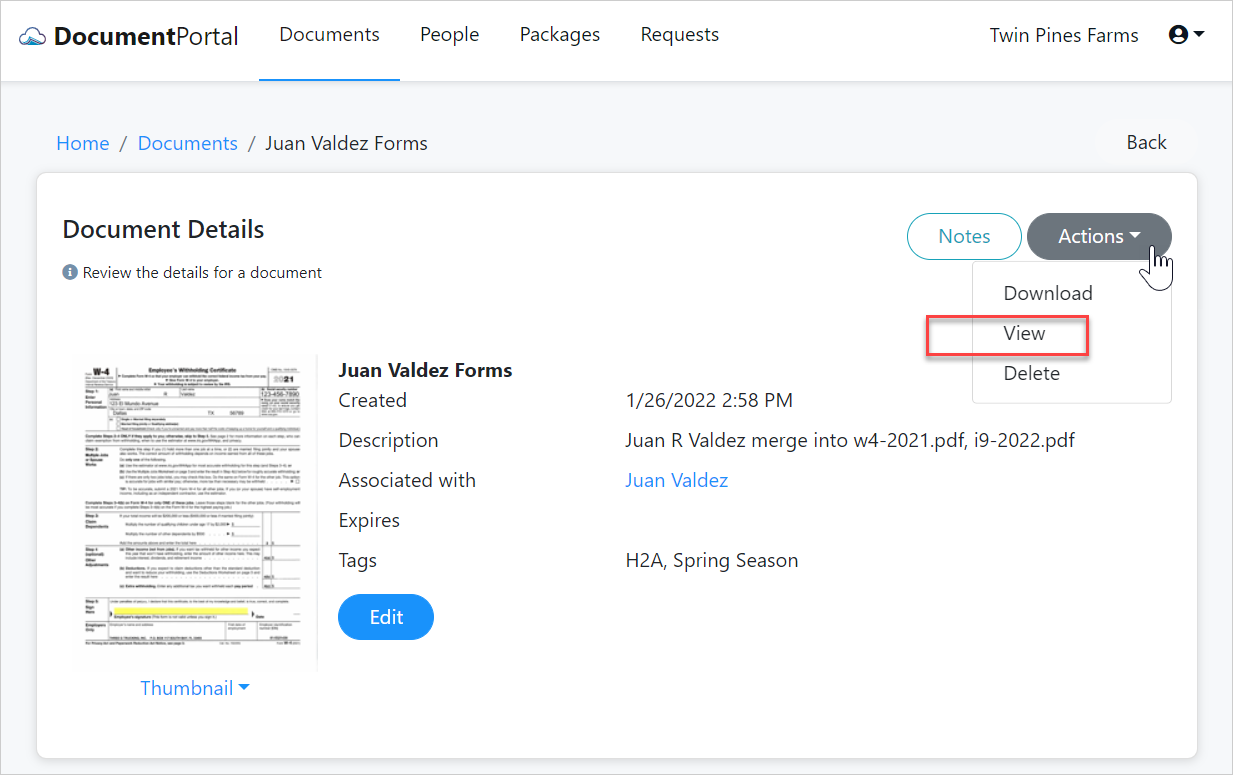
Once the document has been created, click the "Actions" button on the Document Details Screen and select the "View" option from the drop-down menu.
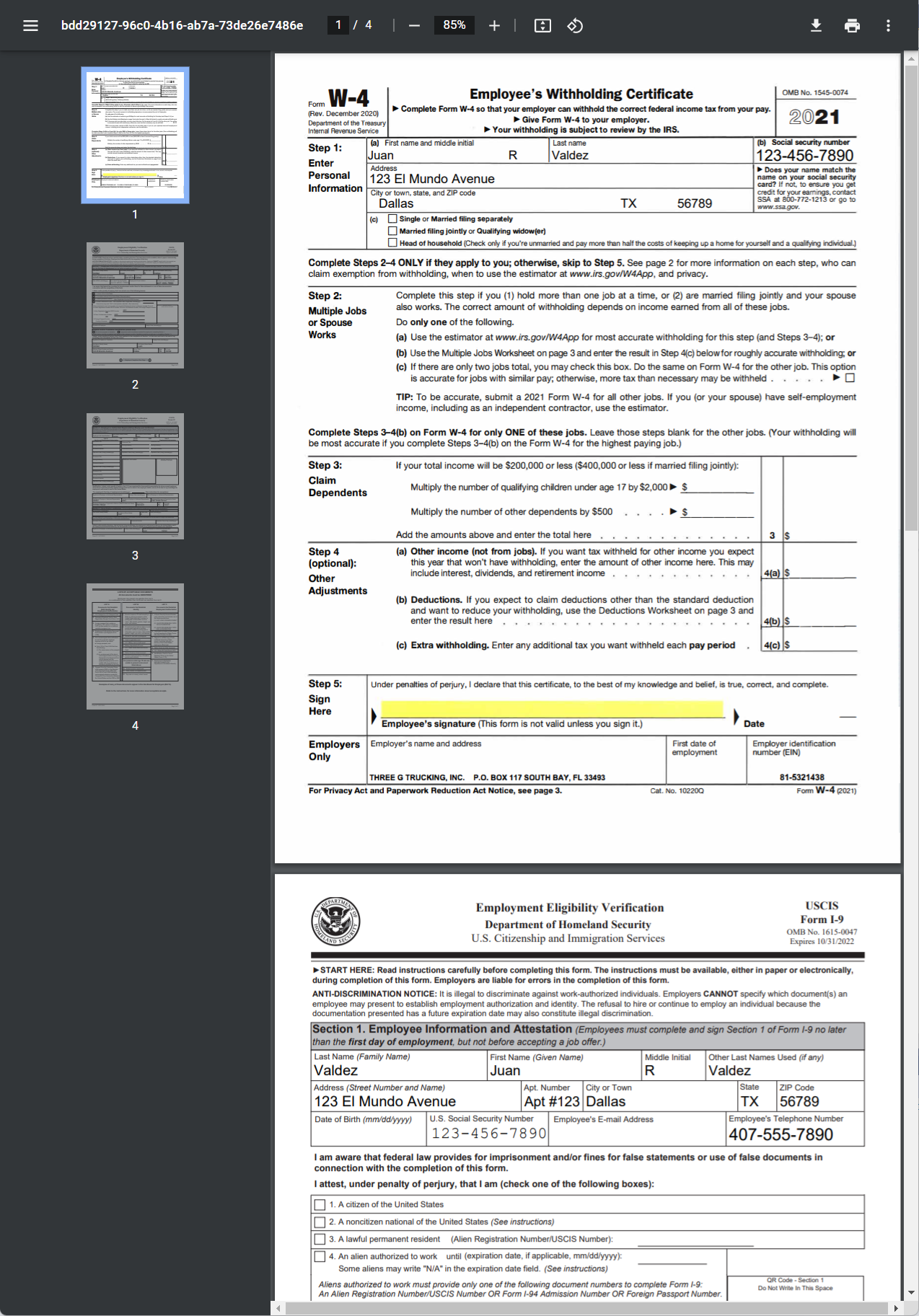
Notice the document includes both forms for Juan Valdez. If we had selected additional people, the document would have included the I-9 and W-4 forms for each of them as well.
Continuing on
Now that we've created documents by merging data into forms, let's see how we can use the search and filter capabilities to quickly find documents.
| 7. Find our documents |  |
Comments
0 comments
Please sign in to leave a comment.