
This article is part of a 20-minute walkthrough which uses the scenario of hiring and onboarding H2A workers to show you how each of the features may be used by your organization.
What is a Form?
A "Form" is a PDF document that includes form fields which will be updated with information when you perform a merge.
What is the Form Gallery?
The Form Gallery is a collection of forms that have been shared with you by other Document Portal Users.
The task:
Although Document Portal lets you upload your own custom forms, let's grab the I-9 and W-4 forms from the Forms Gallery for this walkthrough. Later, we'll see how to merge data into these forms to generate documents for one of our people.
Click the drop-down button at the upper-right side of the screen then click "Forms".
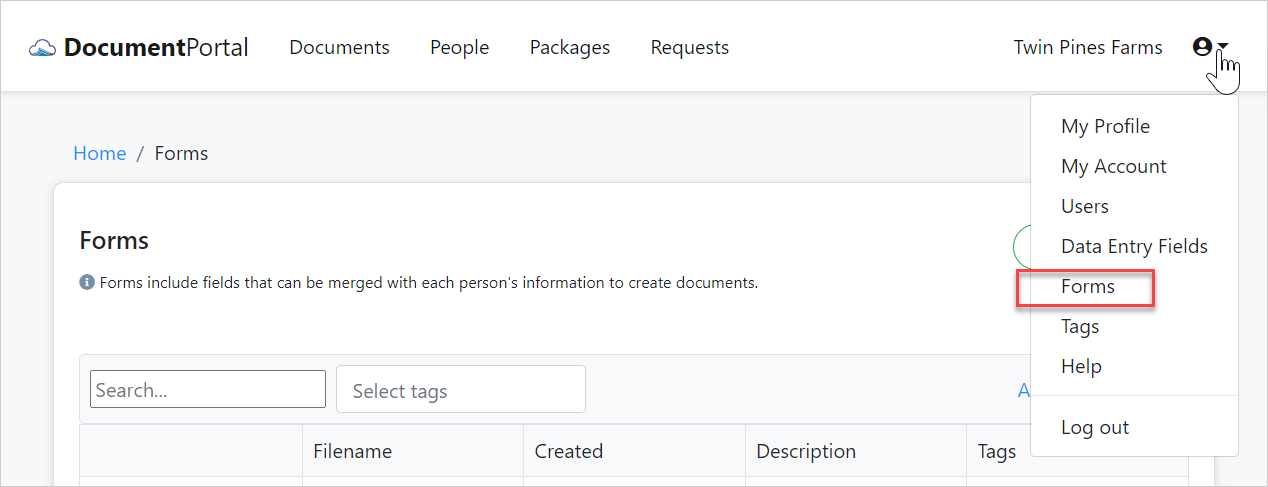
When the Forms List appears, please click the "Add Forms" button then choose "From Gallery" to display the Form Gallery.
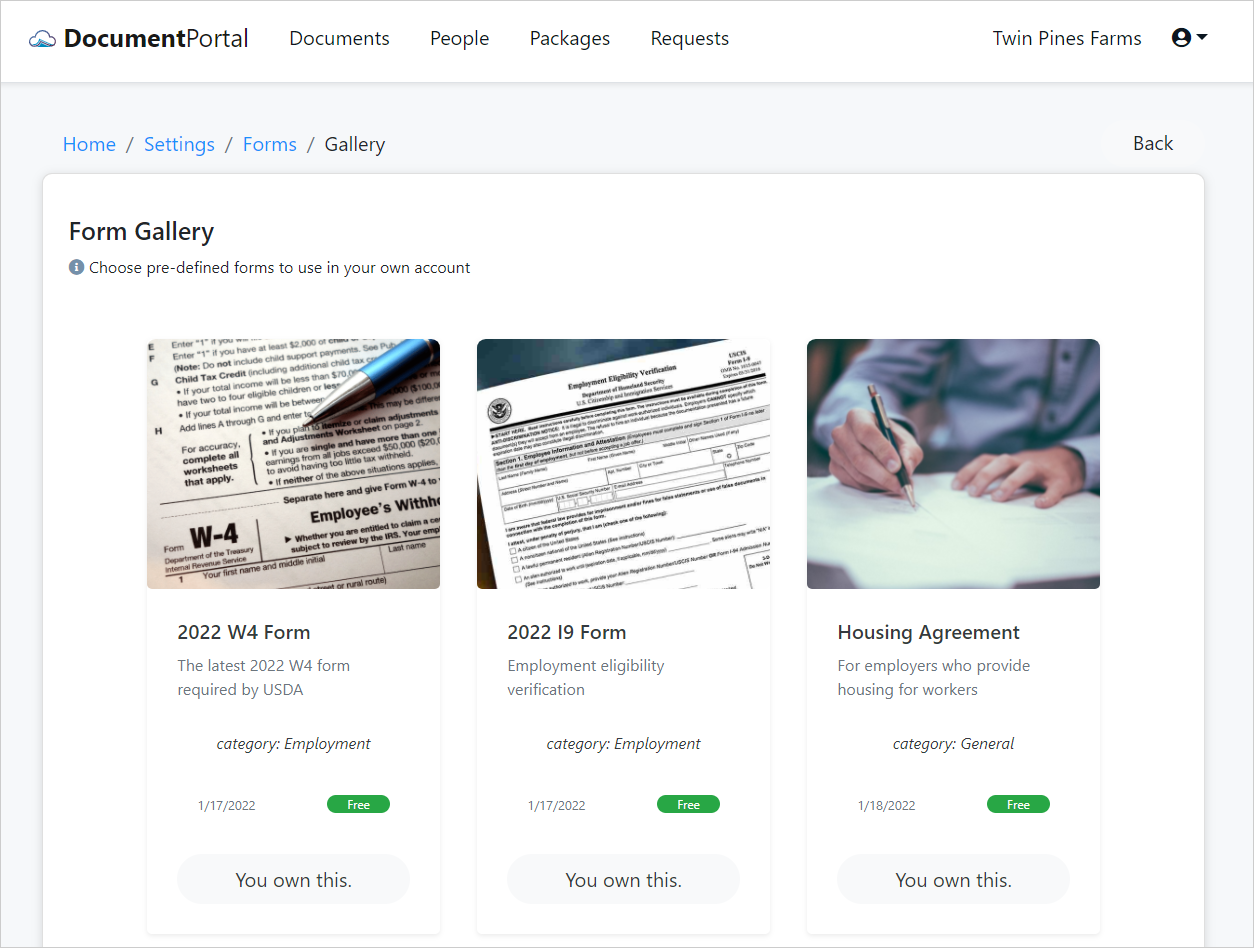
Click on the I9 "2022 I9 Form" to view its details and then click the "Use This Form" button to add it to your Forms List. Click the "Back" button to return to the Form Gallery then add the "2022 W4 Form" like you did with the I9.
Continuing on
Now that we have a couple of forms to work with, let's see how to use them to generate pre-filled documents for our people.
| 6. Merge data into forms |  |
Comments
0 comments
Please sign in to leave a comment.