
The Tags List provides options to add, remove or change the text of a tag.
What are Tags?
"Tags" are key words that can be used to categorize people and documents for easy retrieval. You can apply one or more tags to each document or person, then filter the lists to show you documents or people that are associated with a particular tag.
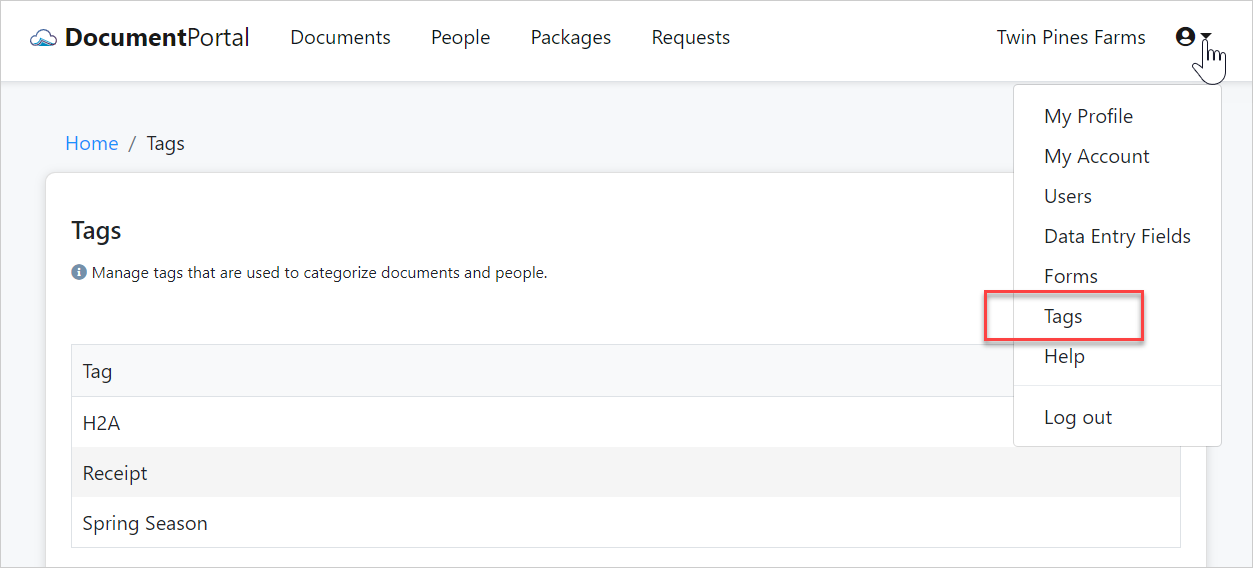
How to find the Tags List
Click the drop-down button at the upper-right side of the screen then click "Tags".
Tags List options
Once you've loaded the Tags List, you can perform the following actions.
Sort the list items. Click on the heading row for the Tag column to sort the Tags List. Click on it again to change the sort order.
Add a new Tag. Click the New Tag button to display the "Create Tag" screen which will prompt you for the name of the Tag.
Edit a Tag. Click on the row for a Tag to display the "Tag Details" screen which allows you to change the name of the Tag. After clicking Save, the updated Tag name will be shown on any people or documents that have been associated with the Tag.
Delete a Tag. Click on the row for a Tag to display the "Tag Details" screen then click the "Actions" button to display a drop-down menu. Click "Delete" then confirm when prompted. Deleting a Tag will remove its association from all documents and people.
Comments
0 comments
Please sign in to leave a comment.