
The Packages List provides options to review, add, update, and remove Packages from your Document Portal account.
What are Packages?
A "Package" defines a set of documents that will be requested from people. For example, you may have an H2A New Hires Package that requires W-4, I-9 and Housing Agreement forms as well as copies of Travel Receipts. Once this Package has been associated with a Person, Document Portal will help you track which documents the person has provided and also which documents are still needed.
How to find the Packages List
Click the "Packages" option at the top of the screen.
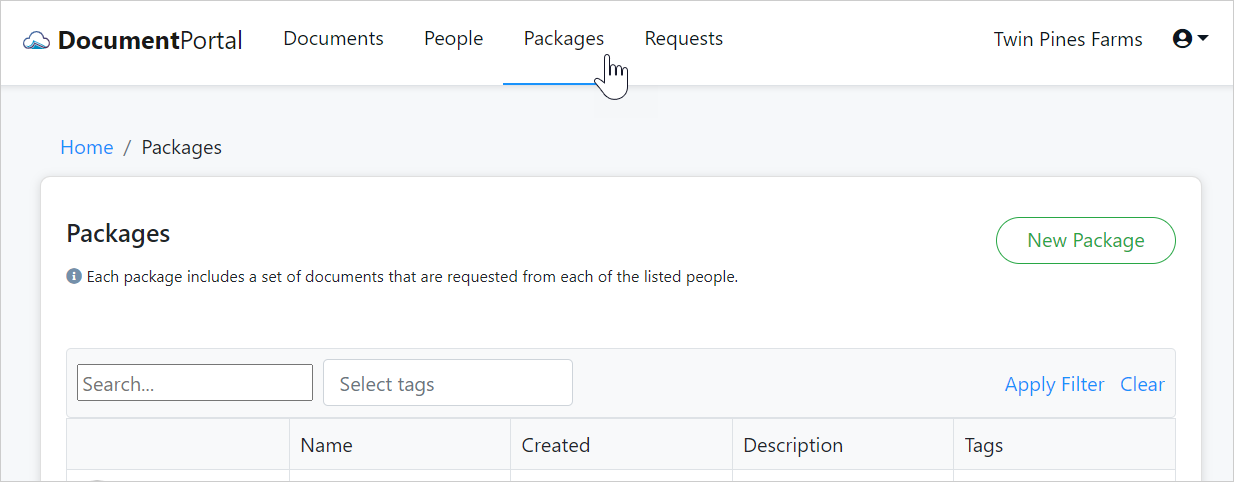
Packages List options
Once you've loaded the Packages List, you can perform the following actions.
Search. Type a keyword into the Search box and/or select one or more Tags then click "Apply Filter" to filter the list.
Sort the list items. Click on the heading of any column to sort the People List by a particular field. Click on it again to change the sort order.
Add a new Package. Click the "New Package" button to display the "Add Package" screen which provides options for creating a new Package.
Review Package Details. Click on the row for a Package to display the "Package Details" screen which allows you to change the name, description and Tags for the Package.
Create Notes for the Package. Click on the row for a Package to display the "Package Details" screen, then click the "Notes" button to display the "Package Notes" screen which allows you to add and review notes which have been associated with the Package.
Delete a Package. Click on the row for a Package to display the "Package Details" screen, then click the "Actions" button to display a drop-down menu. Click "Delete" then confirm when prompted. Deleting a Package will permanently remove the record for that Person but will not delete any Documents or People although it will remove any associations between Documents, People and the deleted Package.
Manage Documents for a Package. Click on the row for a Package to display the "Package Details" screen then select the "Documents" tab which describes the types of documents required by the Package. The "Manage Documents" button will display the "Manage Package Documents" screen which allows for modifying the list of Package Documents.
Manage People for a Package. Click on the row for a Package to display the "Package Details" screen then select the "People" tab which provides a list of People who are associated with the Package. The "Add People" button will display the "Add people to package" screen which allows you to select people for whom the Package should be applied. You can remove a person's association with the Package within the Person Details screen.
Comments
0 comments
Please sign in to leave a comment.