
The "Package Details" screen provides options to review, update, delete and view information relating to a Package.
Packages are created and accessed from the Person Details and Packages List screens and define sets of documents that will be requested from People.
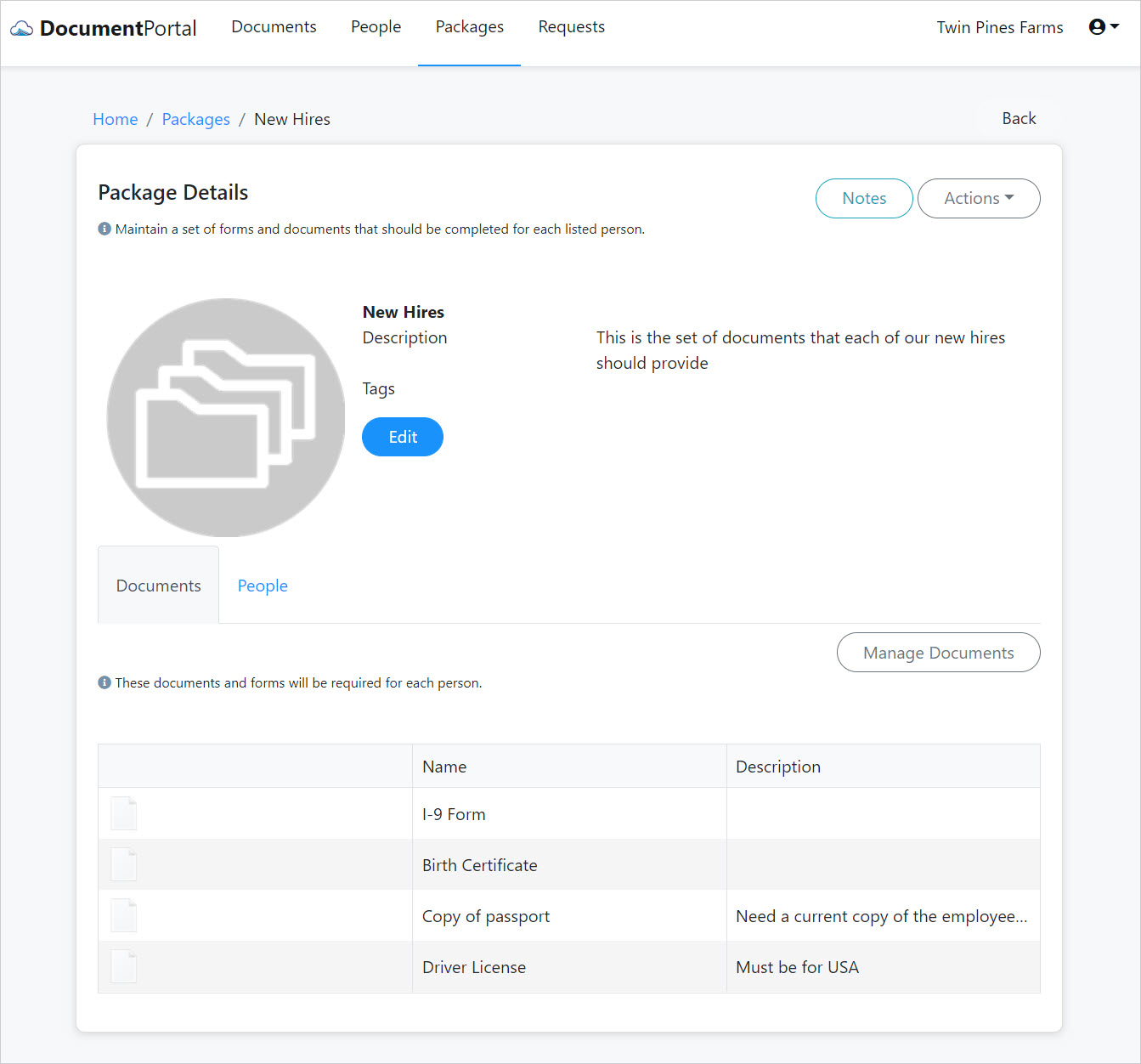
As Documents are collected, the Package Details screen keeps track of the progress that is made toward collecting all requested Documents for each Person.
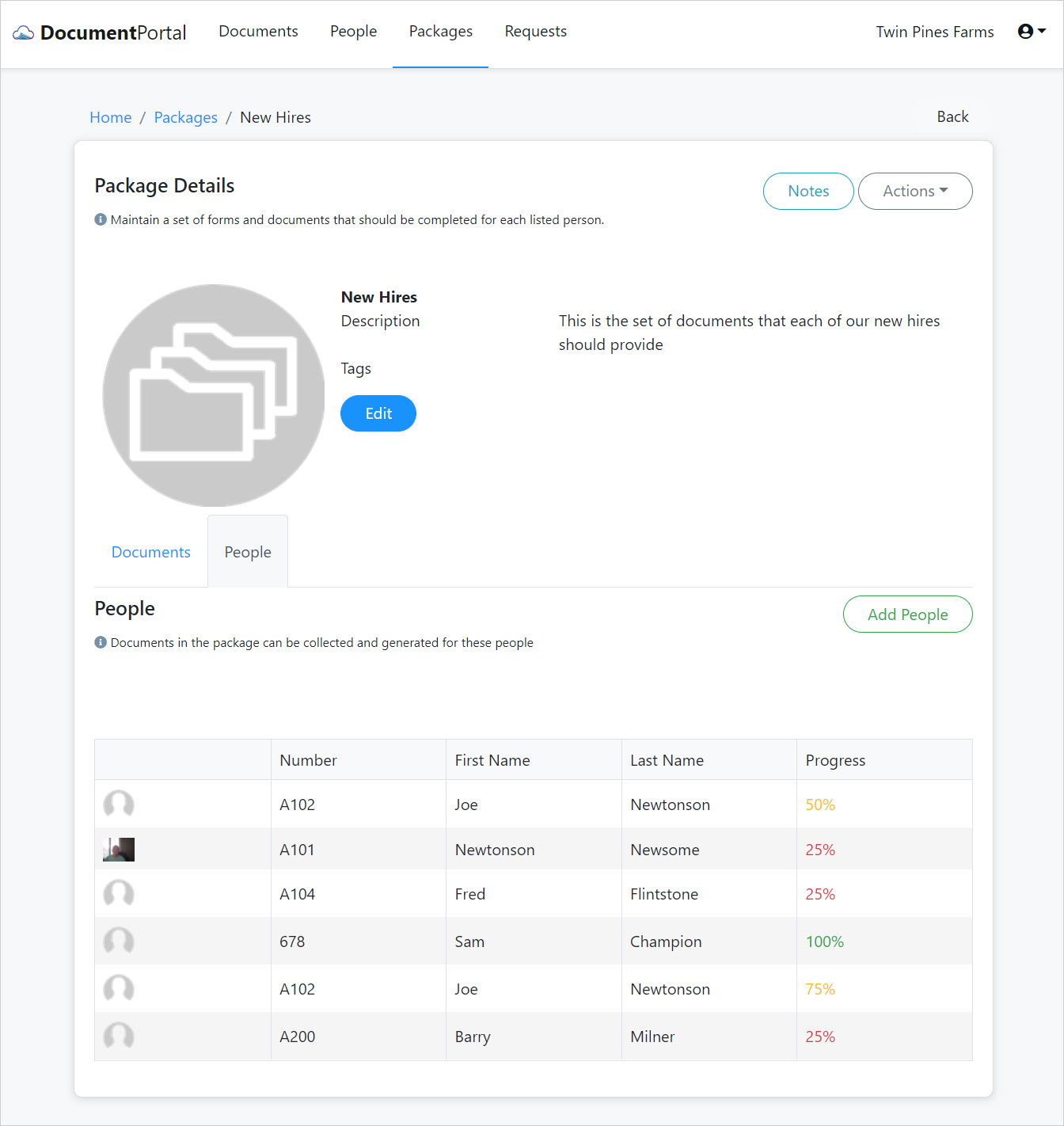
Package Details options
Once you've loaded a Package, you can perform the following actions.
Edit. Click the Edit button to change the name and description for a Package. You may also associate one or more Tags that will be applied to each Document that is subsequently associated with the Package.
Create Notes. Click the "Notes" button to display the "Package Notes" screen which allows you to add and review notes which have been associated with the Package.
Delete. Click the "Actions" button to display a drop-down menu then click "Delete" and confirm when prompted. Deleting a Package will permanently remove the Package as well as referenced People but will not affect any related Documents.
Manage Documents. Select the "Documents" tab then click the "Manage Documents" button to display the "Manage Package Documents" screen which allows you to add additional requested documents or change the name and position of existing items.
Add People. Select the "People" tab then click the "Add People" button to display the "Add people to package" screen which allows you to select people for whom the Package should be applied. You can remove a person's association with the Package within the Person Details screen.
Review a Person's Progress. Select the "People" tab then click on a row in the list to manage that person's progress toward collecting all the Documents for the Package. Click the right chevron > symbol to upload a file, use the camera or associate an existing Document with the Package item.
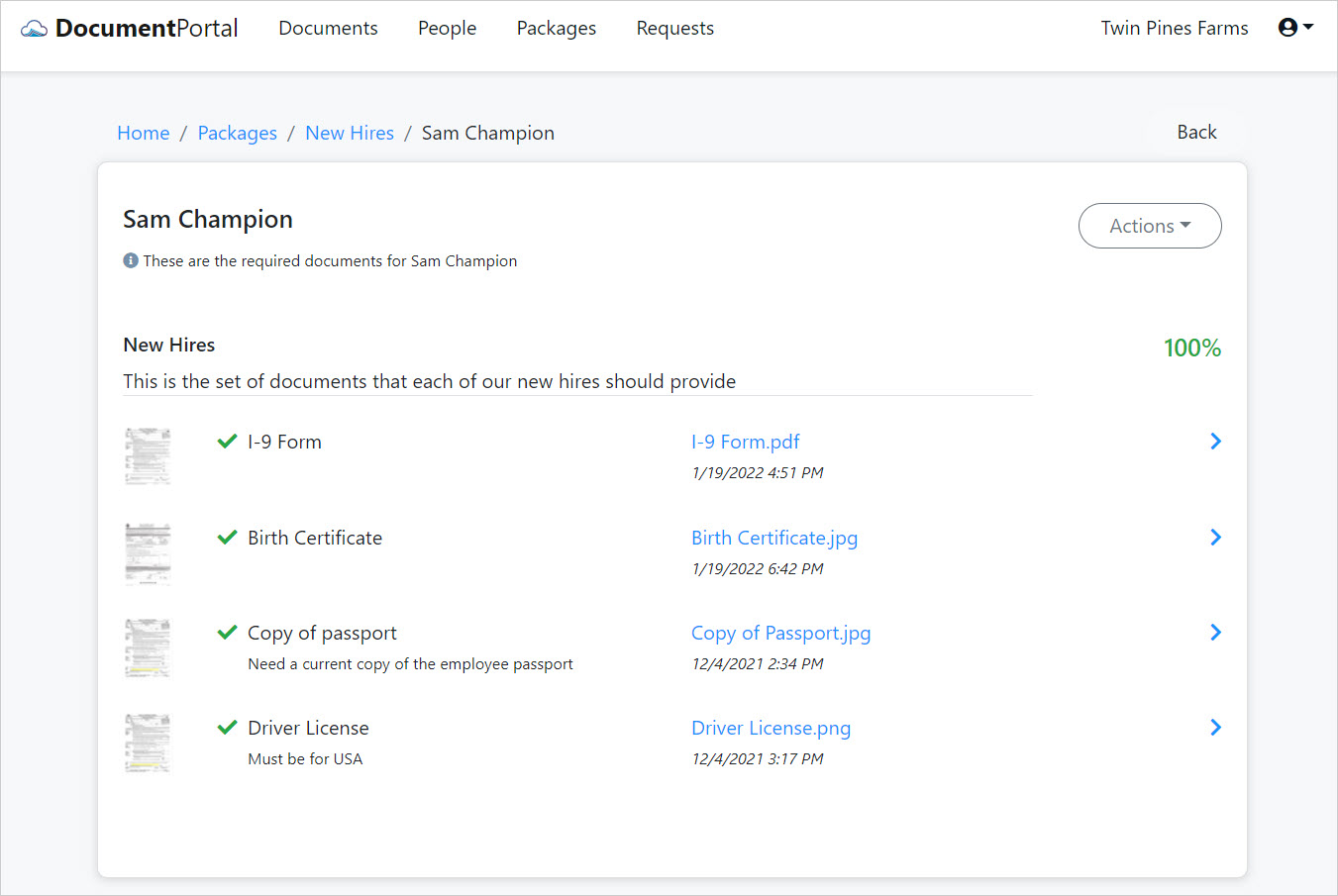
Once you've associated a Document with a Package item, you may click on the hyperlink with the Document Name to review the Document Details.
To remove a Package from a Person, click the "Actions" button, select the "Delete" option and then confirm when prompted. Removing a Package from a Person will not remove any Documents which have been created through the Package.
Comments
0 comments
Please sign in to leave a comment.