
The "User Details" screen provides options to review, update, delete and view information relating to a User.
"Users" can log into Document Portal with their email address and password to access your Documents, People, Packages, Requests and other information within Document Portal. "Users" are not the same thing as "People" who are unable to access Document Portal except to respond to Document Requests.
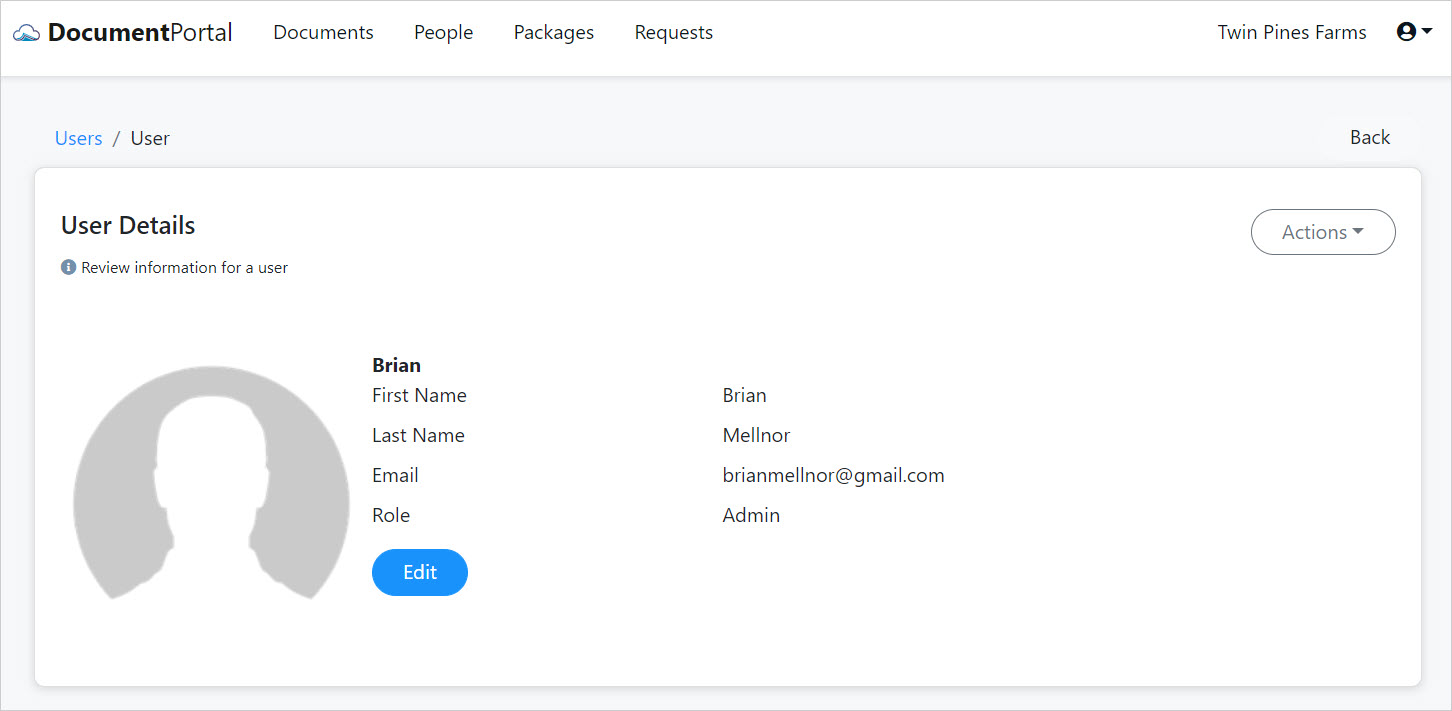
User Details options
Once you've loaded the User Details screen, you can perform the following actions.
Edit. Click the Edit button to change the user's Role within your Document Portal account. The user can change their own name and email in the "My Profile" screen when they log in. You may assign one of the following roles to the user.
- User. Can add or update information such as Documents, People, Packages and Requests but does not have access to Forms, Tags, Users or Account management.
- Read Only. Can view but not modify information such as Documents, People, Packages and Requests.
- Admin. Can do anything within the account. Note that Admin Users can invite new users but may not change information about existing users (who may have their own account.) Important: Make sure you have at least one or two Users who are in the Administrator role.
Send welcome email. Click the "Actions" button to display a drop-down menu then click "Send welcome email" to send an email informing the user that they've been added to your account. If the User is a member of another Document Portal Account, they will not have to set up a password and can use the "Switch Account" option in the "My Account" screen to work in your account. Otherwise, the User can click a hyperlink in the email to set up a password and gain access to your Account.
Note: If the User does not receive the email, please ask them to check their Junk Email folder.
Delete. Click the "Actions" button to display a drop-down menu then click "Delete" and confirm when prompted. Deleting a User will remove its association from your account but will not remove the User's ability to get into Document Portal if the User is a member of another account.
Comments
0 comments
Please sign in to leave a comment.